
The P2S Is the Upgrade No One Expected – But Everyone Wanted!
Bambu Lab P2S review: quick-swap nozzles, a clever new cooling system, HD camera and touchscreen, and why it makes the X1 Carbon completely obsolete.
TL;DRthe short version
- The P2S is not a revolution but a nice refresh: the familiar 256 x 256 x 256 mm build volume, a 110 °C bed and a 300 °C hardened steel hotend, at 519 € for the printer and 749 € for the Combo.
- The toolhead is completely new inside. It uses the same quick-swap nozzles as the H and A series, hardened steel extruder gears, and a servo motor that can detect grinding or jamming filament, something only Bambu Lab does right now.
- The carbon fiber guide rods are gone and steel is back, but print speeds and accelerations are still on par with or even faster than the X1 or P1S.
- The cooling system is genuinely clever: a side fan pulls cool outside air in for PLA, and for ABS, ASA or PC a flap closes and the air recirculates through a carbon filter, which gets the chamber to around 50 °C with the bed at 100–110 °C.
- Print quality is excellent across PLA, PETG, TPU, ASA, Nylon and carbon-fiber PC, but I found VFA-like patterns on flat X faces at the default 60 mm/s that largely disappeared at 80 mm/s.
- My real complaint: there is no filtered exhaust for PLA and PETG anymore. Fresh air is blown in and everything escapes through the gaps in the housing, which feels like a step backward from the X1 Carbon.
- The heated bed again uses rod-style heaters, so it's uneven: 98.9 °C in the middle against 90.1 °C in the corner, though I didn't have a single bed adhesion problem during my tests.
- With the touchscreen, hardened nozzles and gears now on the P2S, the X1 Carbon is completely obsolete. If you were considering an X1, don't. Get the P2S instead.
🐼 Get the Bambu Lab* P2S (519 € standalone / 749 € Combo): https://geni.us/BBL-P2S*
This is Bambu Lab’s latest 3D printer release: the P2S. It’s the refresh of the very popular P1S, which, in my opinion, was for quite a while the best bang-for-your-buck enclosed 3D printer on the market. Here we’ll take a look at what they improved, where it even falls short of its predecessor, and why the P2S makes the X1 Carbon completely obsolete!
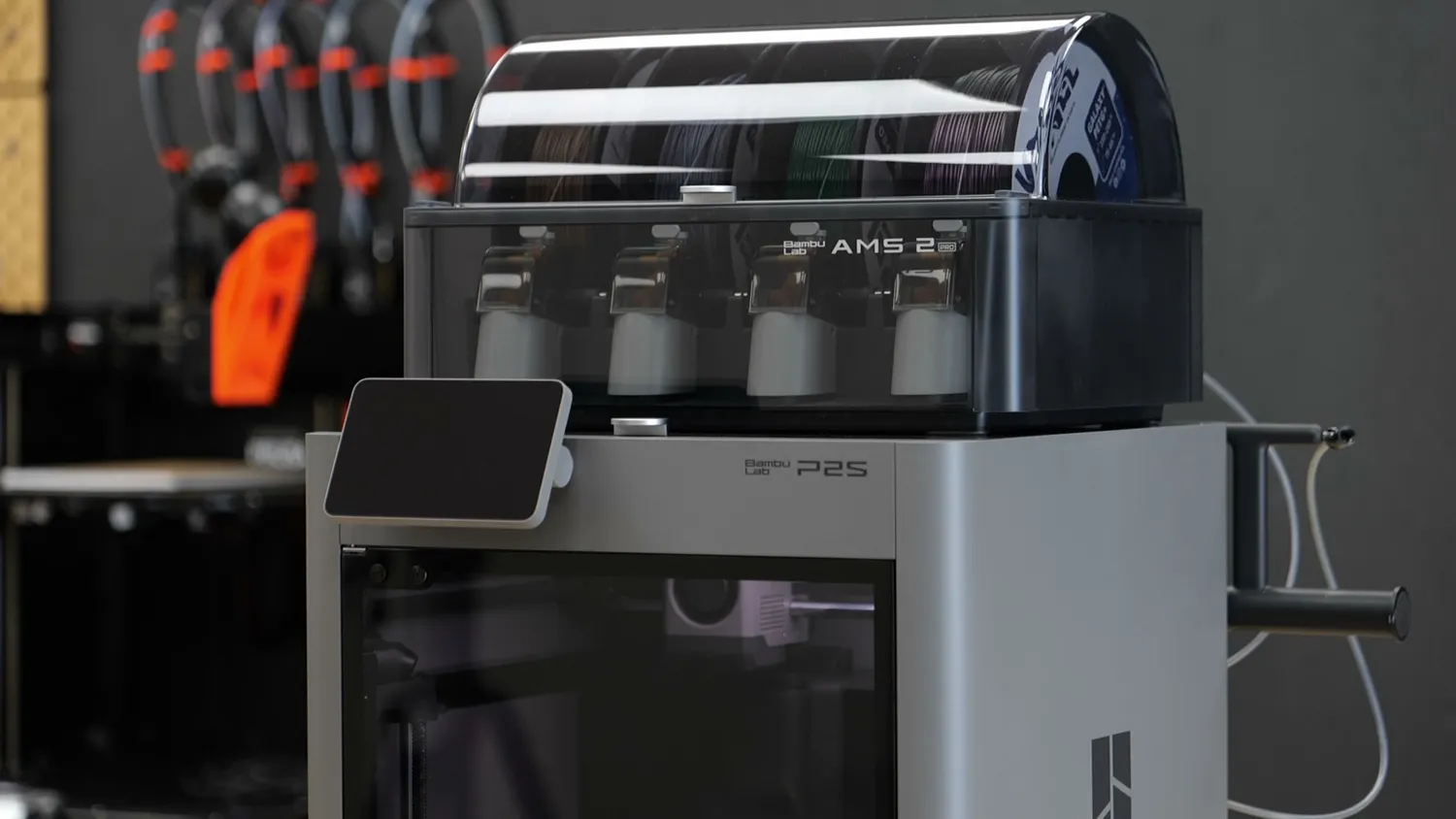
The Bambu Lab P2S with the AMS 2 Pro
Many were expecting to see Bambu Lab’s nozzle changer, the H2C, as their next release, but almost out of nowhere, they started introducing the first overhaul of one of their existing machines. Not an X2 Carbon as I was expecting, but a refresh of their mid-range P-series. So here are the main specs for the impatient:
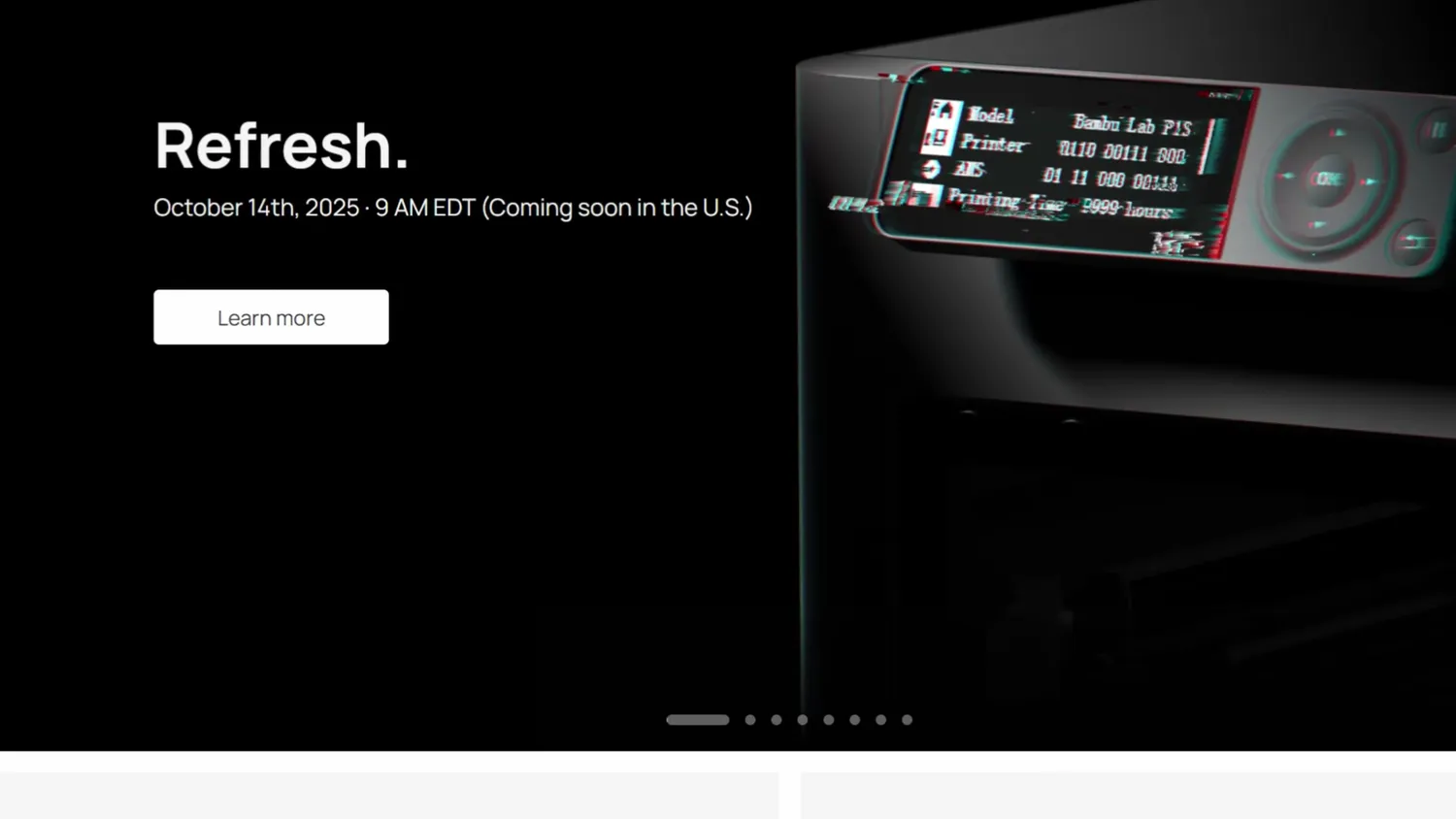
Bambu Lab teased the refresh with the old P1S display
The P2S is not a revolution but a nice refresh. It’s a mid-sized printer with the familiar 256x256x256 mm print volume and a bed with spring steel sheets capable of reaching 110°C. The printhead features a 300°C hardened steel hotend with quick-swappable nozzles. It’s controlled by a 5” touchscreen, and the internal HD camera can detect print failures or problems automatically. The P2S Combo, available at launch, includes the AMS Pro 2, which features a built-in drying function. The P2S is also compatible with the AMS HT and the original AMS 1, allowing up to 20 colors in one project. Performance and print quality was great in my tests but I noticed some VFAs at lower print speeds. They have a really innovative cooling and hot air recirculation system in this machine but I hate that they don’t filter the exhaust air anymore when printing PLA or PETG. US pricing and availability are currently still unclear due to changing tariffs, but the base pricing in Europe at the time of release is 519 € for the standalone printer and 749 € for the combo which is pretty much what the old one cost as well before.
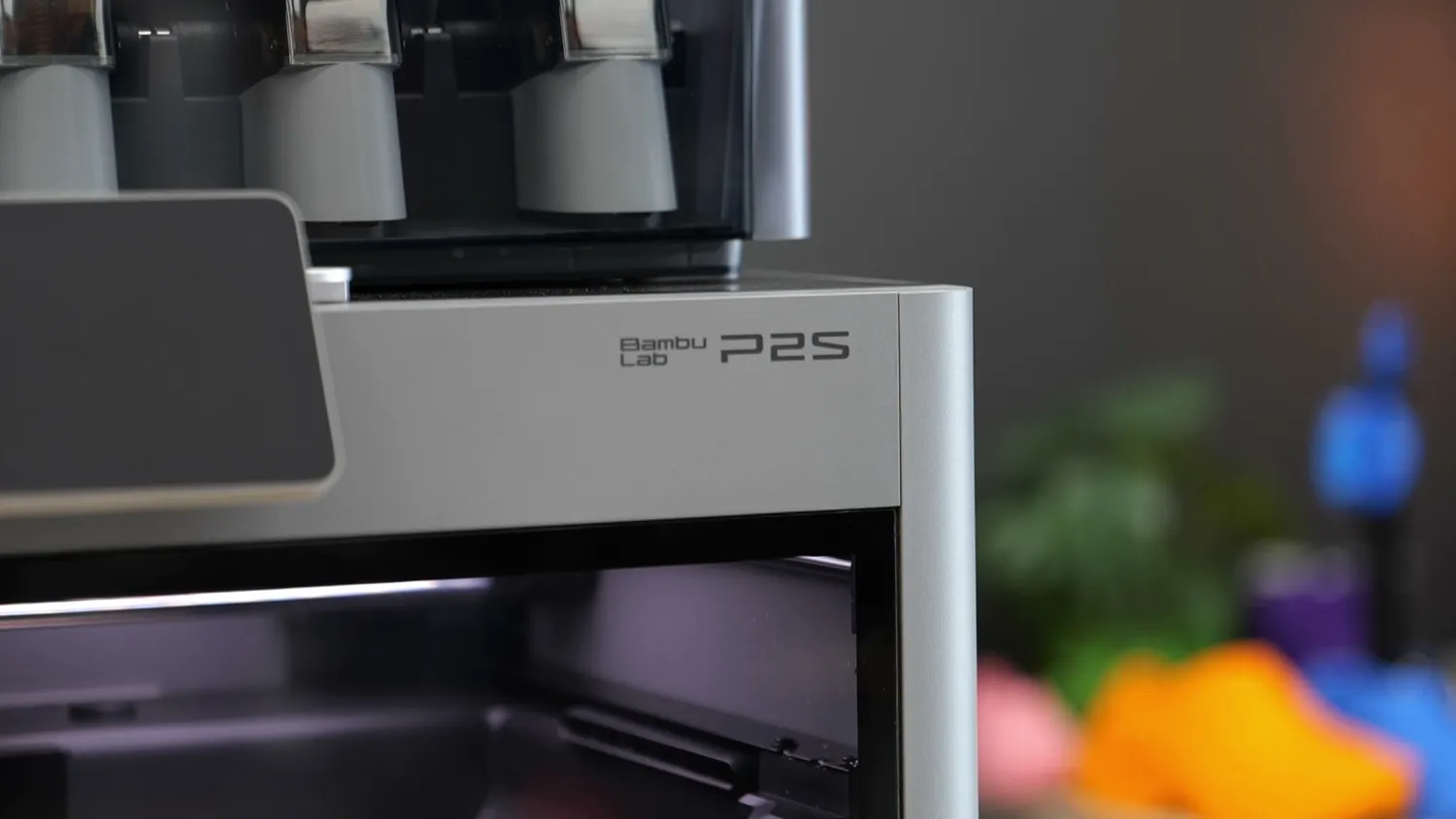
The P2S badge on the new silver housing
What changed on the outside
So, let’s jump into the juicy details and find out what changed, what improved, and what got worse! If you put the old P1S and the new P2S side by side you can clearly see the difference. Not only did they get rid of the dark grey panels I loved so much on the P1S and preferred over the silver look of the X1 but you can also see that they replaced the dot matrix LCD screen with a nice, responsive touchscreen featuring the same second-generation UI as the big H2 printers, though at a slightly lower resolution. The housing has also been refined with hand pockets for easier carrying, flexible rubber feet for vibration decoupling, and a side-mounted spool holder instead of one on the back, making loading and unloading filament spools that don’t fit the AMS far more convenient. Another neat detail is that the filament buffer now comes with two ports by default, so you no longer need to swap Bowden tubes when switching between AMS and external spool printing. You can even connect two AMS units directly for 8-color printing without extra accessories.
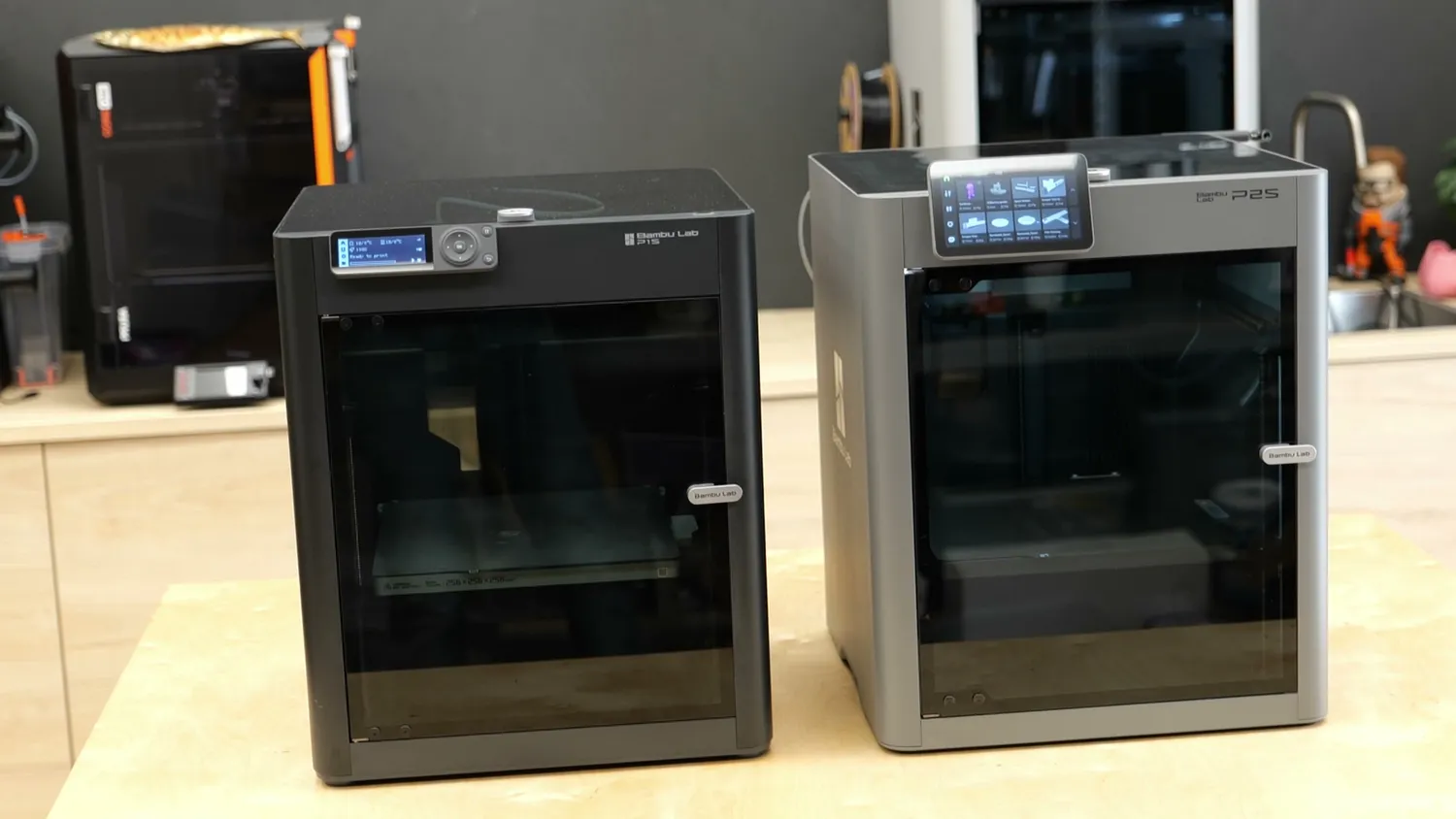
(left) the old P1S, (right) the new P2S
A look inside the P2S
Let’s look inside where the more significant changes are. First of all, one thing they didn’t update are the door hinges. While the larger H printers let you open the front door 180°, the P2 still only opens around 110° which can be annoying if you’re in a tight space. Inside, the bed remains 256x256 mm, and the print height is still 256 mm, but you get a bit more usable space because it now also has one of these mechanically retractable filament cutter actuators. That means you no longer lose that small unusable front corner unless you tape it back, a nice convenience improvement.
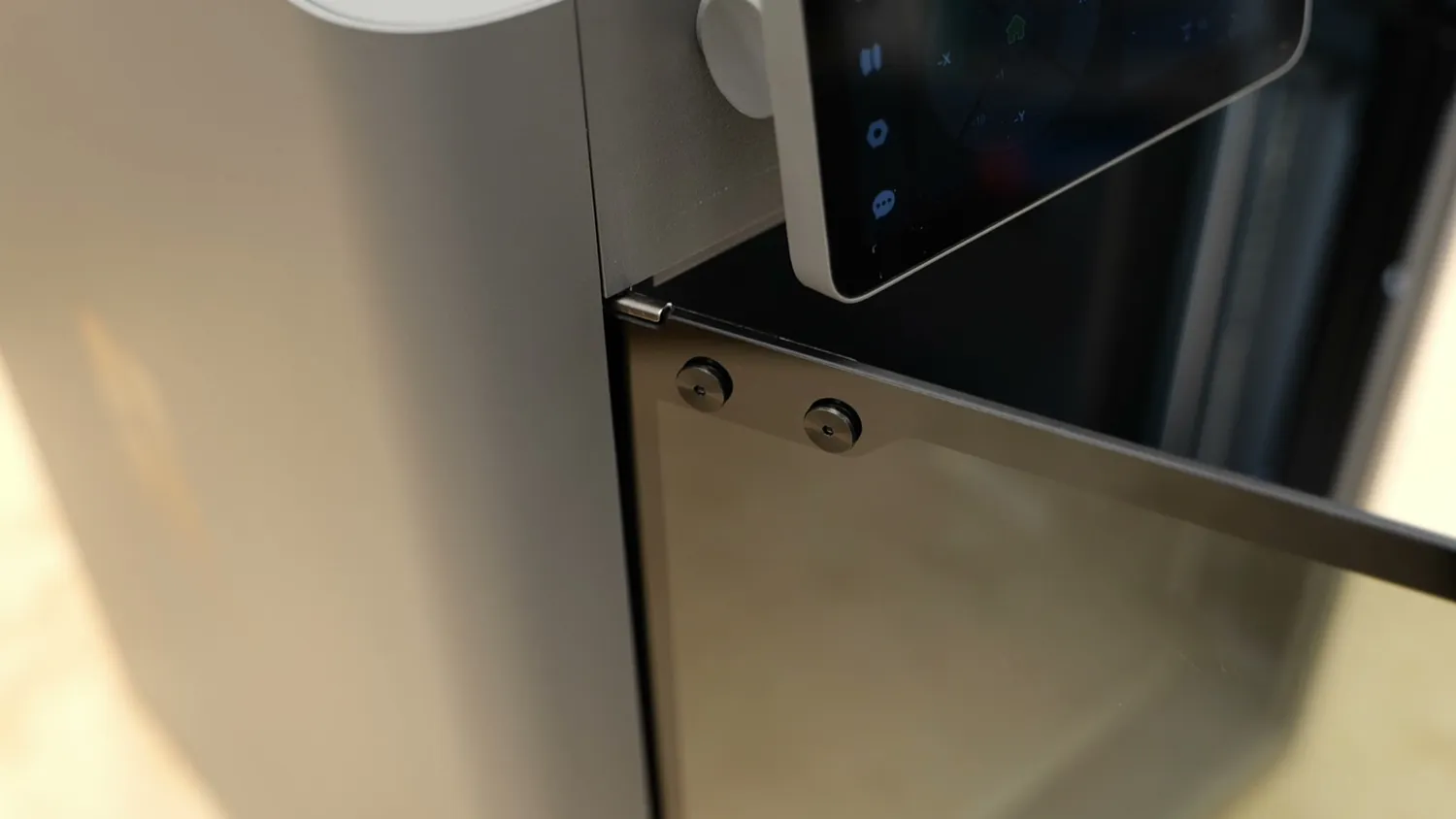
The door hinge, unchanged from the P1S
Once you take your eyes off the bed, you’ll spot one of the other big updates: the guide rods for the printhead are now made from steel again. The first-generation machines used carbon fiber rods (lightweight, stiff, and a bit of a brag factor), but not everyone liked them because they feared quick wear. It seems Bambu didn’t sacrifice speed for the extra weight, though, because print speeds and accelerations are still on par or even faster than the X1 or P1S.
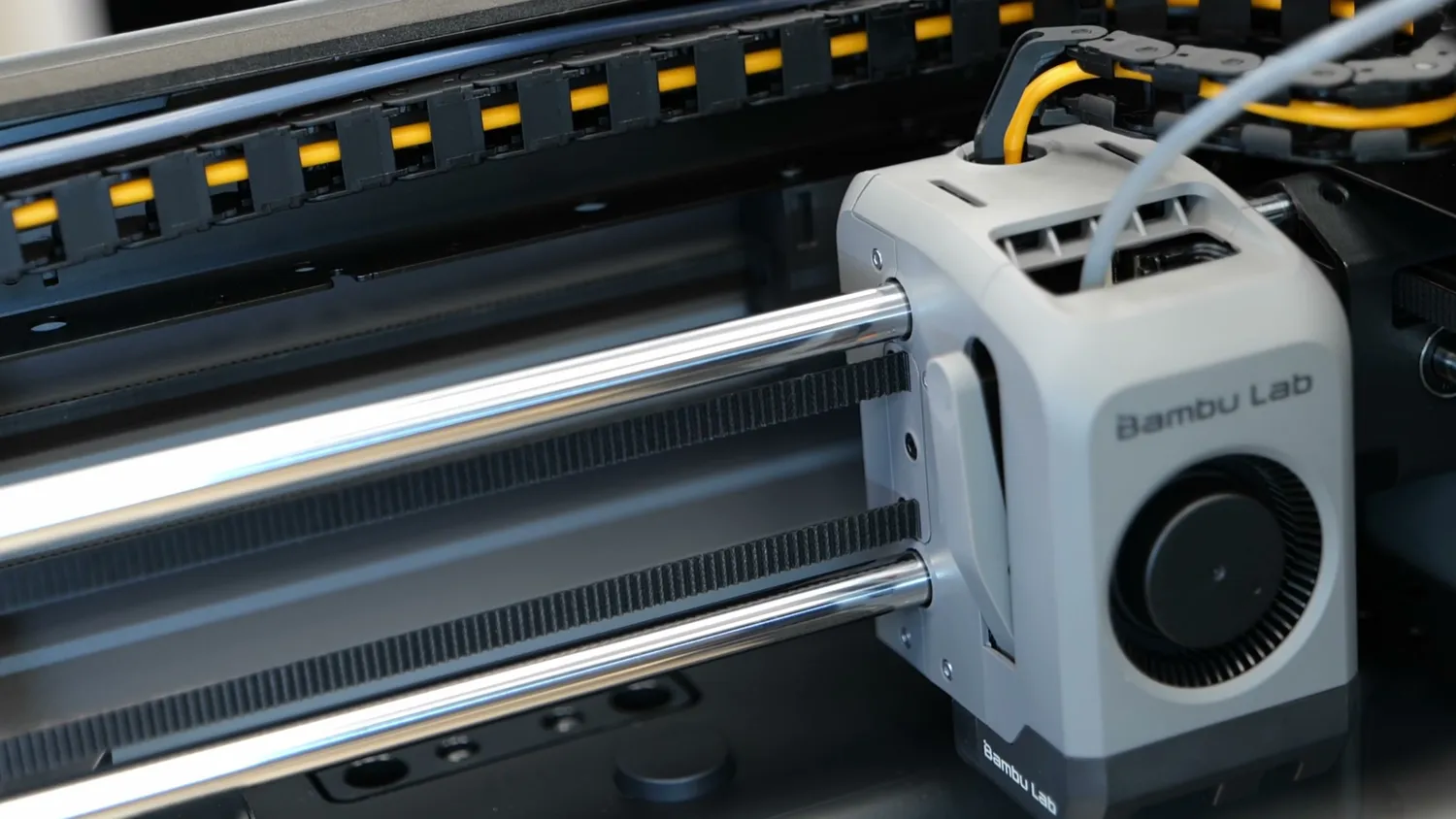
Steel guide rods instead of carbon fiber
The new toolhead and quick-swap nozzles
The other major change is the toolhead, which looks similar on the outside but is completely new inside. The P2S now also has the same quick-swap nozzle system as the H and A series printers. The hotend is clipped in place and can be removed easily after taking off the silicone sock. No cables to unplug. By default, it comes with a hardened steel nozzle, so you don’t need to swap to special ones for abrasive filaments. They again look very similar to the ones from the A-Series printers but have a slightly longer melt zone for higher melting capacity. The extruder gears are also hardened steel, but more interesting is the servo motor driving the extruder. This provides a lot of extrusion power in a compact form factor, and the feedback data can be used to detect grinding or jamming filament, which is something only Bambu Lab does right now. You might have noticed that the build chamber looks brighter than before. That’s because they finally added proper lighting with two internal LED bars. This not only makes monitoring prints easier but also greatly improves the camera image. The new camera is Full HD and records at a decent frame rate, a big step up from the low-res, one-frame-per-second feed on the old machine. It also handles AI spaghetti detection, which can be handy, though I found it a bit over-sensitive, causing some false positives during testing. You can tune it down or disable it entirely.
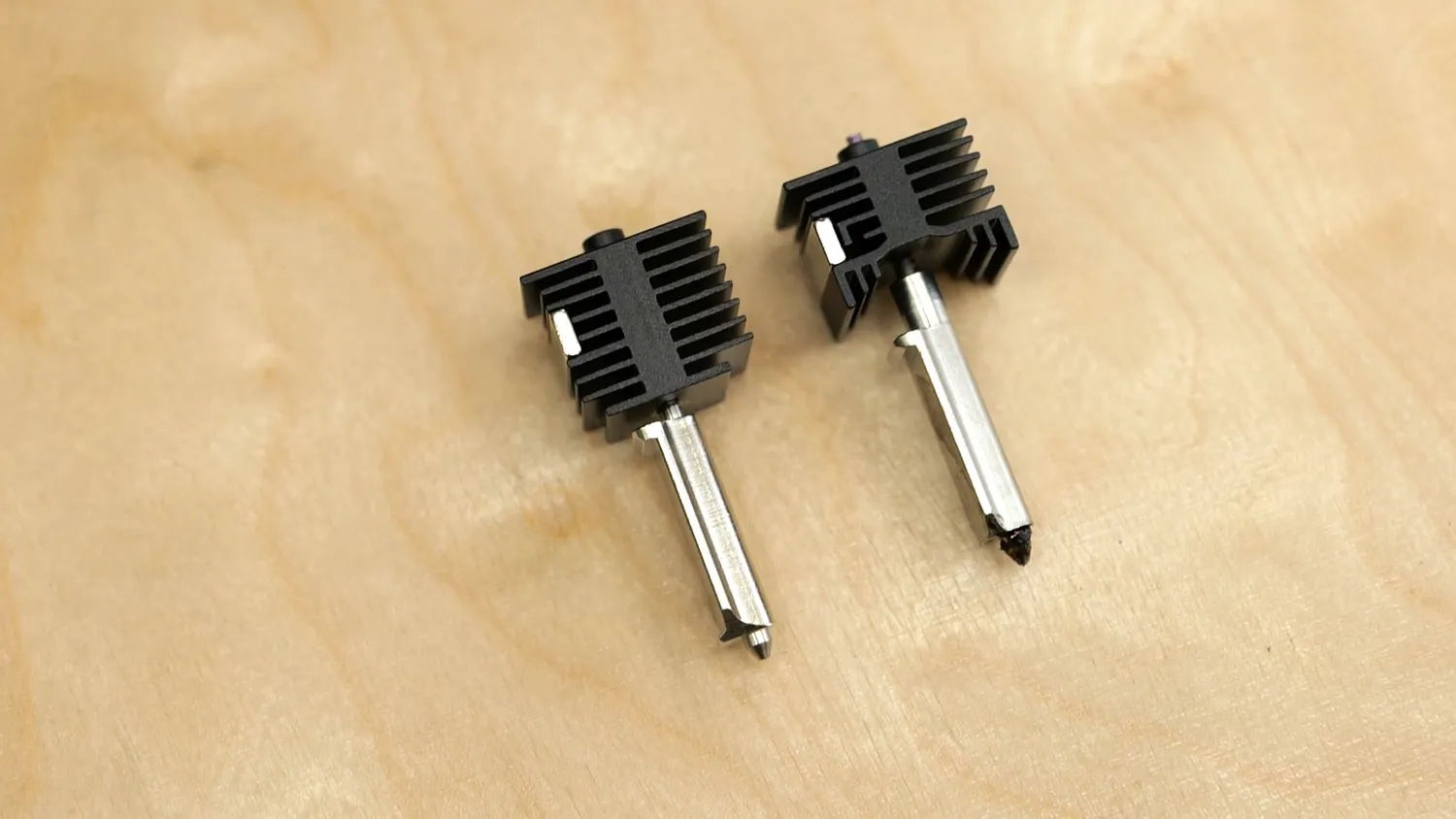
The clip-in hotends of the new quick-swap system
From what I have observed, the camera also performs build plate detection. The new print plates look slightly different with a bigger and way more contrasty data matrix printed on it, so it can be clearly read from the side-mounted camera. This might seem like DRM, but it’s actually useful to ensure the plate selected in your slicer matches the one installed, or that a plate is installed at all (trust me, that happens!). You can still use your old plates, but you’ll miss out on that feature.
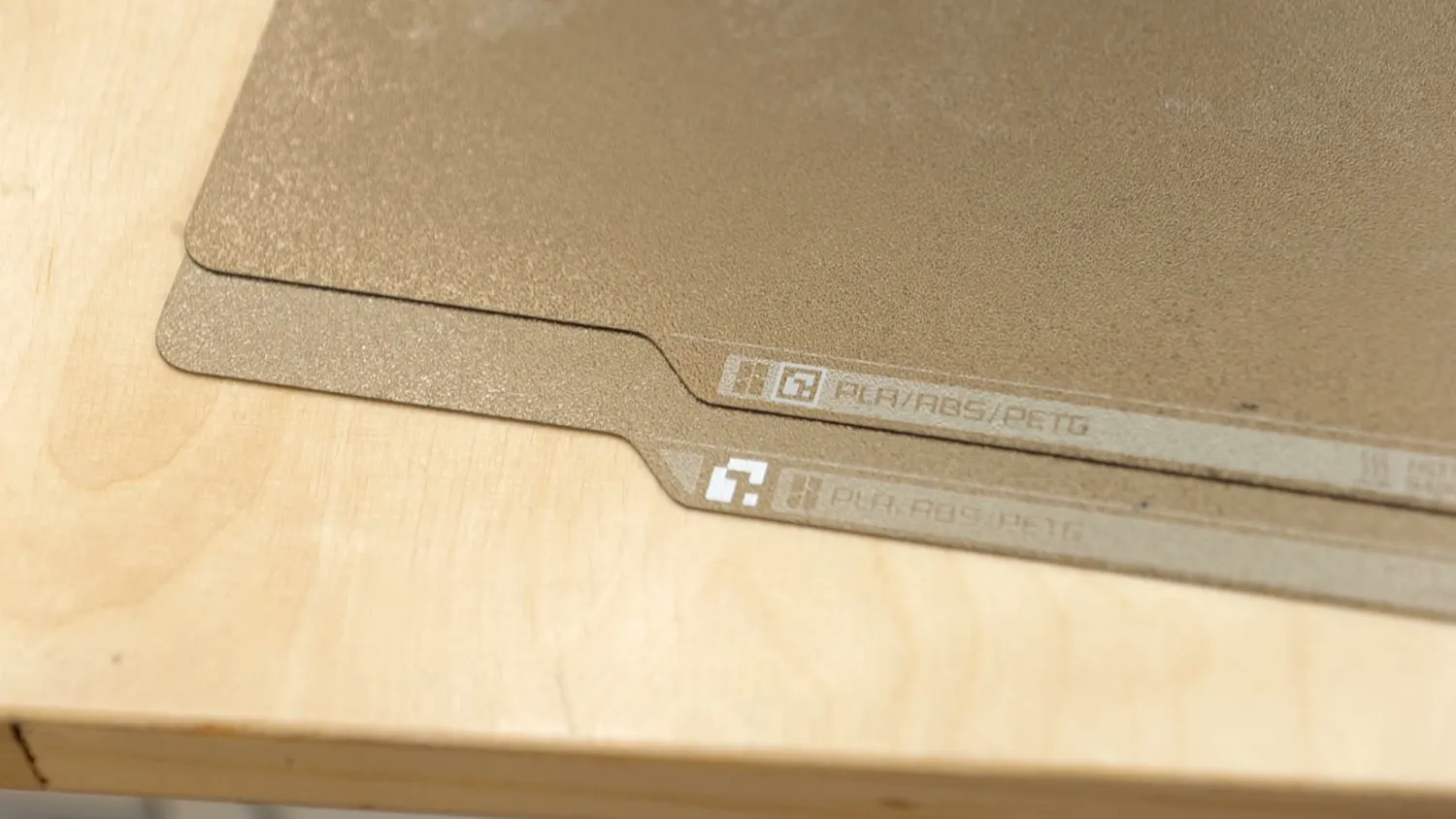
The new plate carries a bigger, more contrasty data matrix
The cooling and air recirculation system
Another big change is the cooling system, which I haven’t seen on any other machine. When printing PLA in enclosed printers, the air inside can get too warm, causing cooling problems and filament softening in the PTFE tube. On older Bambu printers, you were advised to leave the door open; the H2 series has a top vent flap; and others recommend sliding the top lid open. The P2S takes a smarter approach. Its large side cooling fan draws in cool air from outside, preventing overheating. When printing high-temp materials like ABS, ASA, or Polycarbonate, a flap closes the vent, and the printer recirculates air through a carbon filter at the back, reducing particulates, VOCs, and odors. It’s not a heated chamber, but this system still raises the internal temperature to around 50°C or more when the bed is at 100–110 °C.
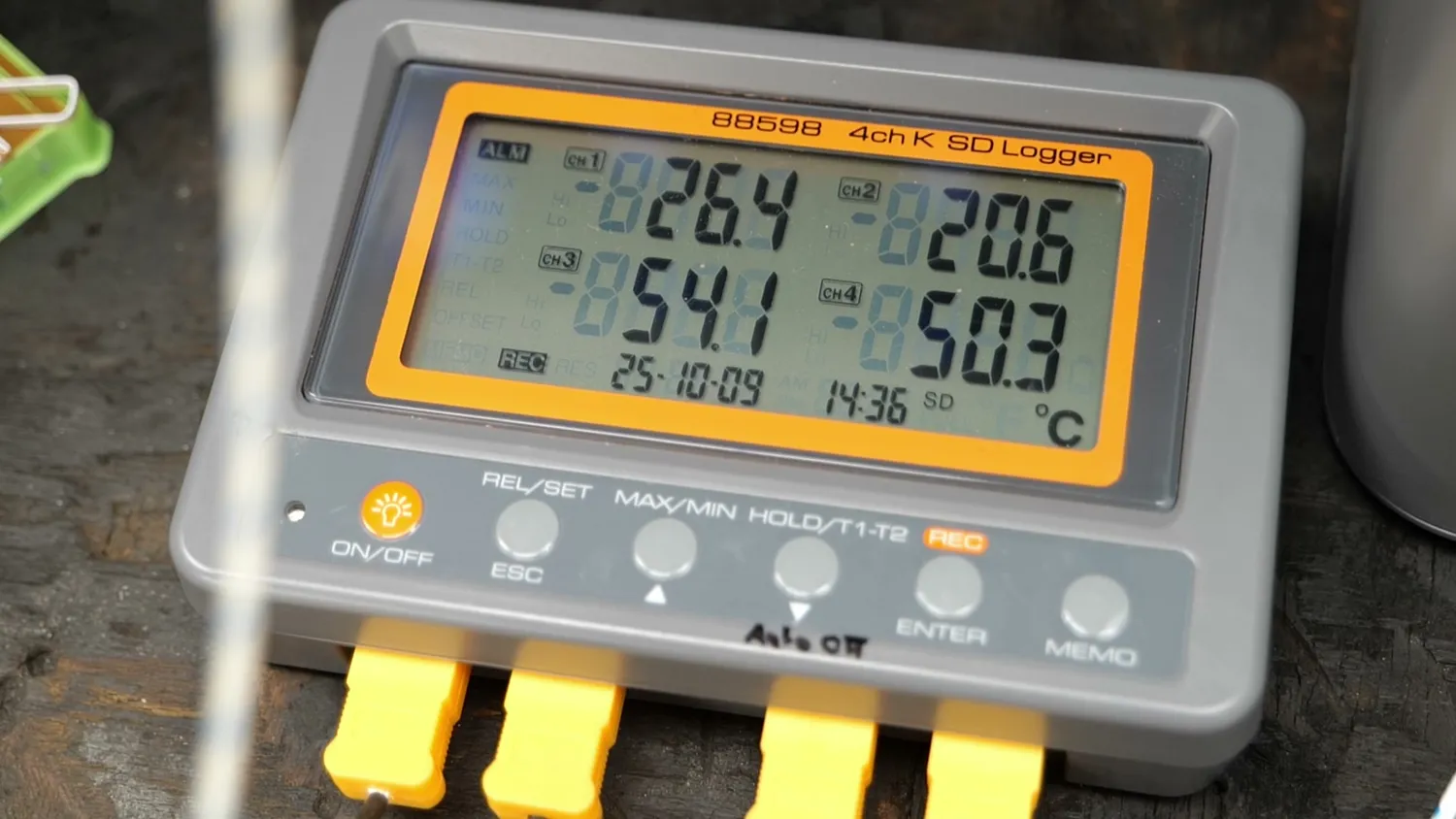
Two of the channels inside the chamber reading 54.1 and 50.3 °C
How the P2S prints
We’ve talked about tons of specs, but not yet about the most important thing: how it prints. Over the past few weeks, I’ve tested it with a wide range of materials: PLA, PETG, TPU, ASA, Nylon, and carbon-fiber-reinforced Polycarbonate. Besides a few false-positive failure detections, filament runouts, and support detachments, every project finished flawlessly. That’s thanks to a nozzle bed leveling system that produces amazing first layers, and the Golden Textured PEI sheets, which grip well when hot but release easily when cool.
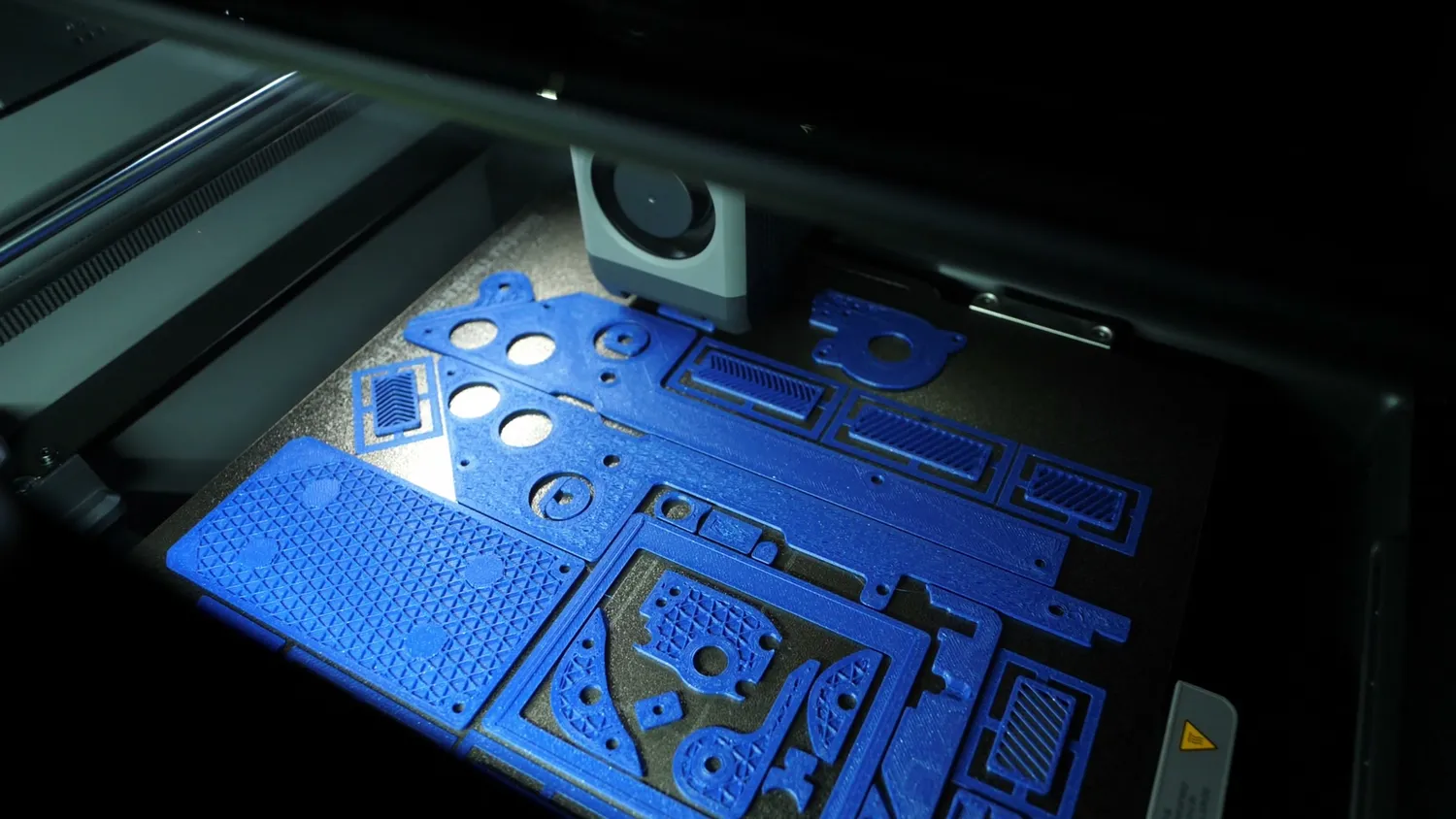
A plate full of flat parts under the new chamber lighting
Print quality is excellent. The 3D Benchy came out nearly perfect: smooth surfaces, consistent extrusion, and great overhangs. Only the smokestack diameter varied slightly when slowing at lower layer times. The ASA Benchy showed more hull-line distortion, but that’s material shrinkage, not the printer. Clockspring’s torture toaster also printed great; four of the five pins were loose down to 0.2 mm gaps. Small details look sharp, layers stack beautifully, and overhangs are good, though the P2S doesn’t quite match the H2D’s cooling performance. Even multi-color prints came out flawlessly, despite heavy waste: no color bleed, perfect alignment, and no failures, even when using a normal AMS alongside an AMS HT to print a 5 color model.
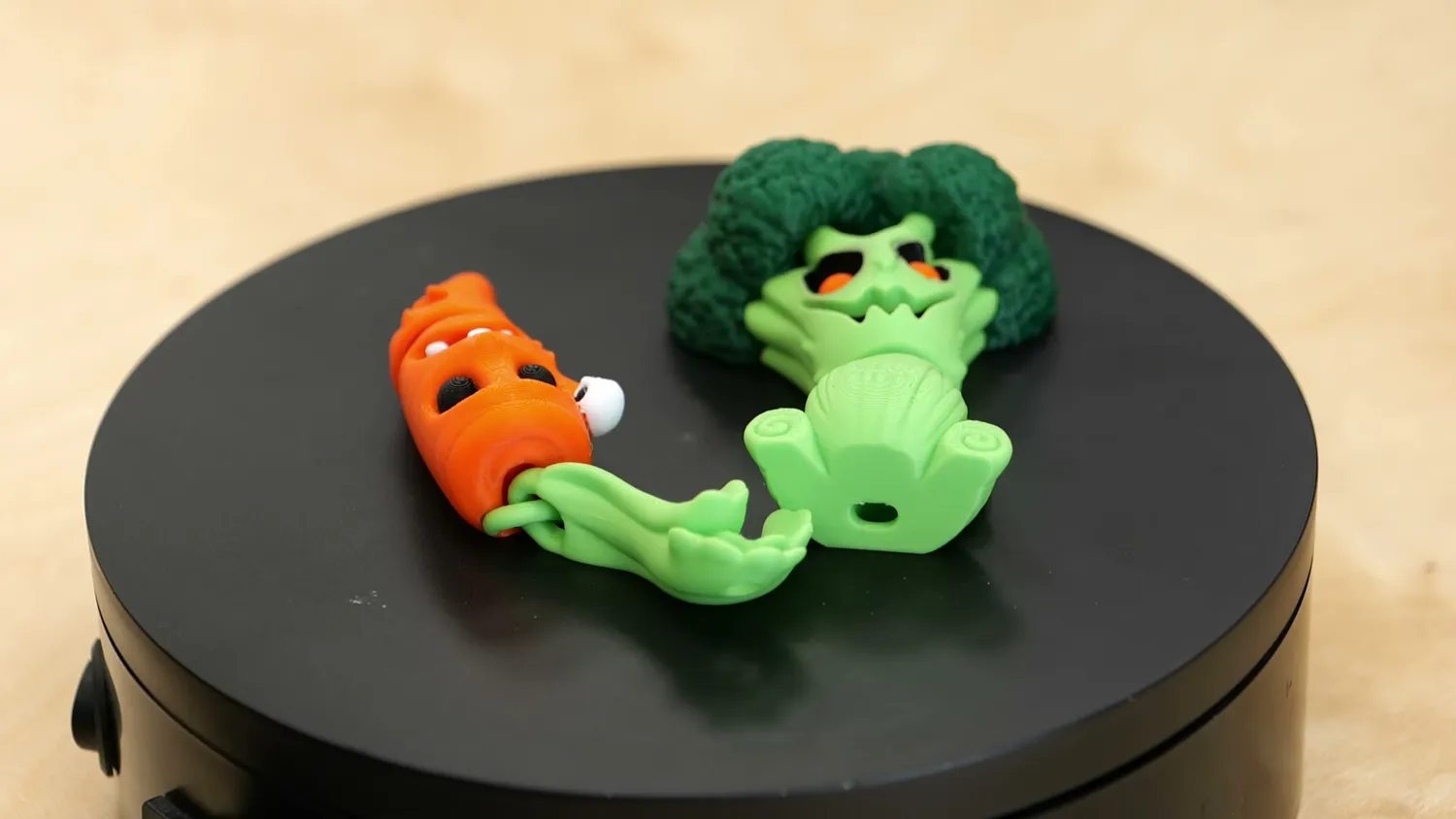
Print-in-place flexi carrot and broccoli
What I don’t like: VFAs, filtration and the heated bed
Yet, I wouldn’t be German if I didn’t complain about something. When printing a protective case for my Positron glass bed that I took on holiday with me, I noticed subtle surface patterns on the X-direction faces, similar to VFAs (Vertical Fine Artifacts). They vary with speed and were especially visible at lower speeds (60 mm/s default). Printing at 80 mm/s largely removed them, so this can likely be fixed with profiles or firmware. This happens on many printers, but it stood out on these flat parts.
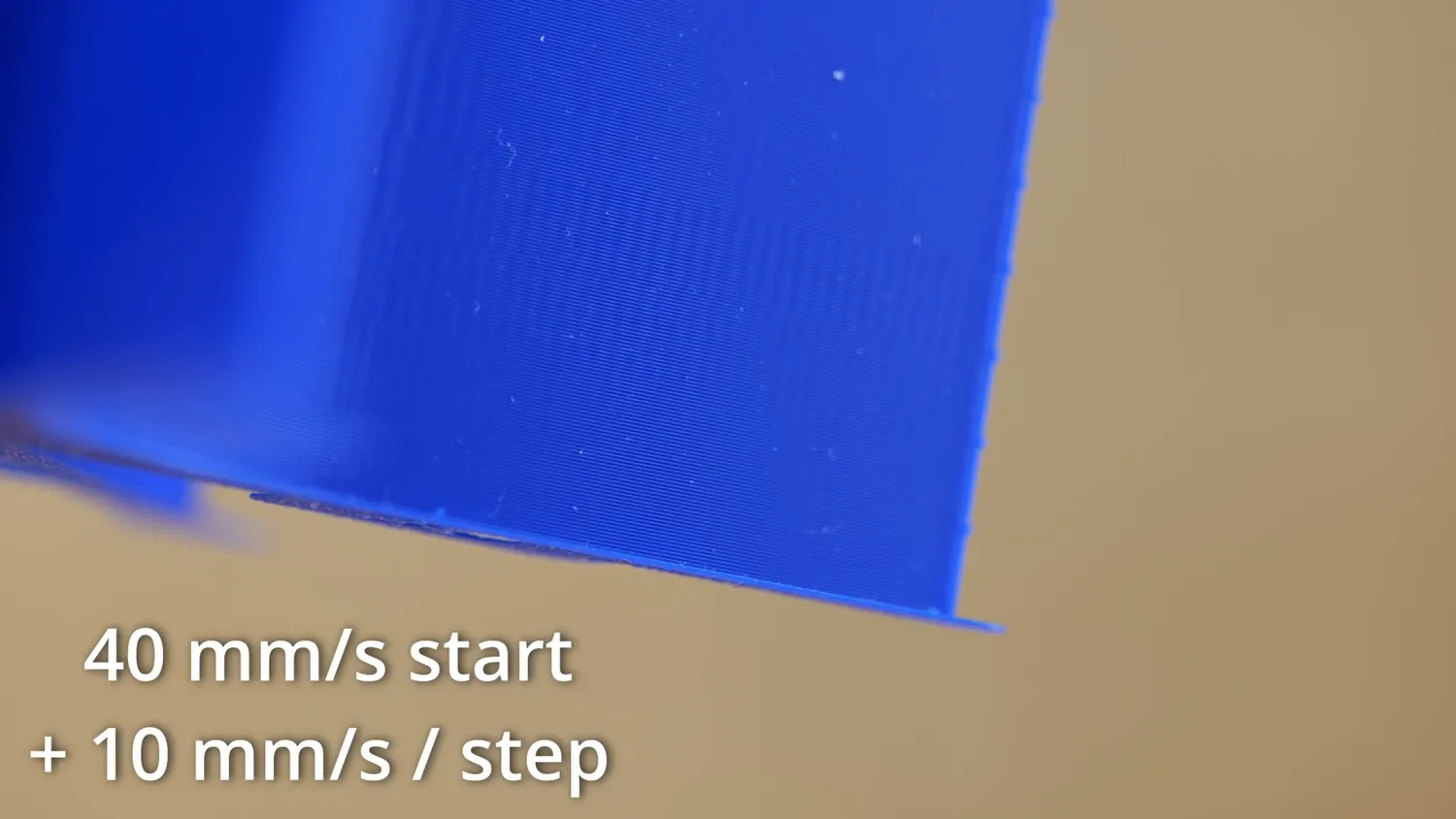
The speed sweep that made the VFAs visible
But since I’m already being the grumpy German guy, let’s continue. There’s one other thing I really don’t like: the air filtration. When printing high-temp materials, the warm air is filtered. Great! But when printing PLA or PETG, fresh cool air is blown inside, but since there is no filtered exhaust everything simply escapes through gaps in the housing. I might be overly sensitive, but even PLA can emit noticeable odors, especially during material changes or with PLA+ types. Studies show that printing any material releases particulates and gases I’d rather not breathe. That’s why I celebrated when Bambu had the exhaust filter on the X1 Carbon, something many others later copied. So this feels like a step backward, and I hope they reconsider it for future machines. When I filmed the B-Roll yesterday, I noticed that there is a mount for a second auxiliary fan on the left side, which is unpopulated, and a cover on the bottom. That could be a perfect spot to add an exhaust filter, either inside or by attaching a larger one on the outside which could be a nice mod.
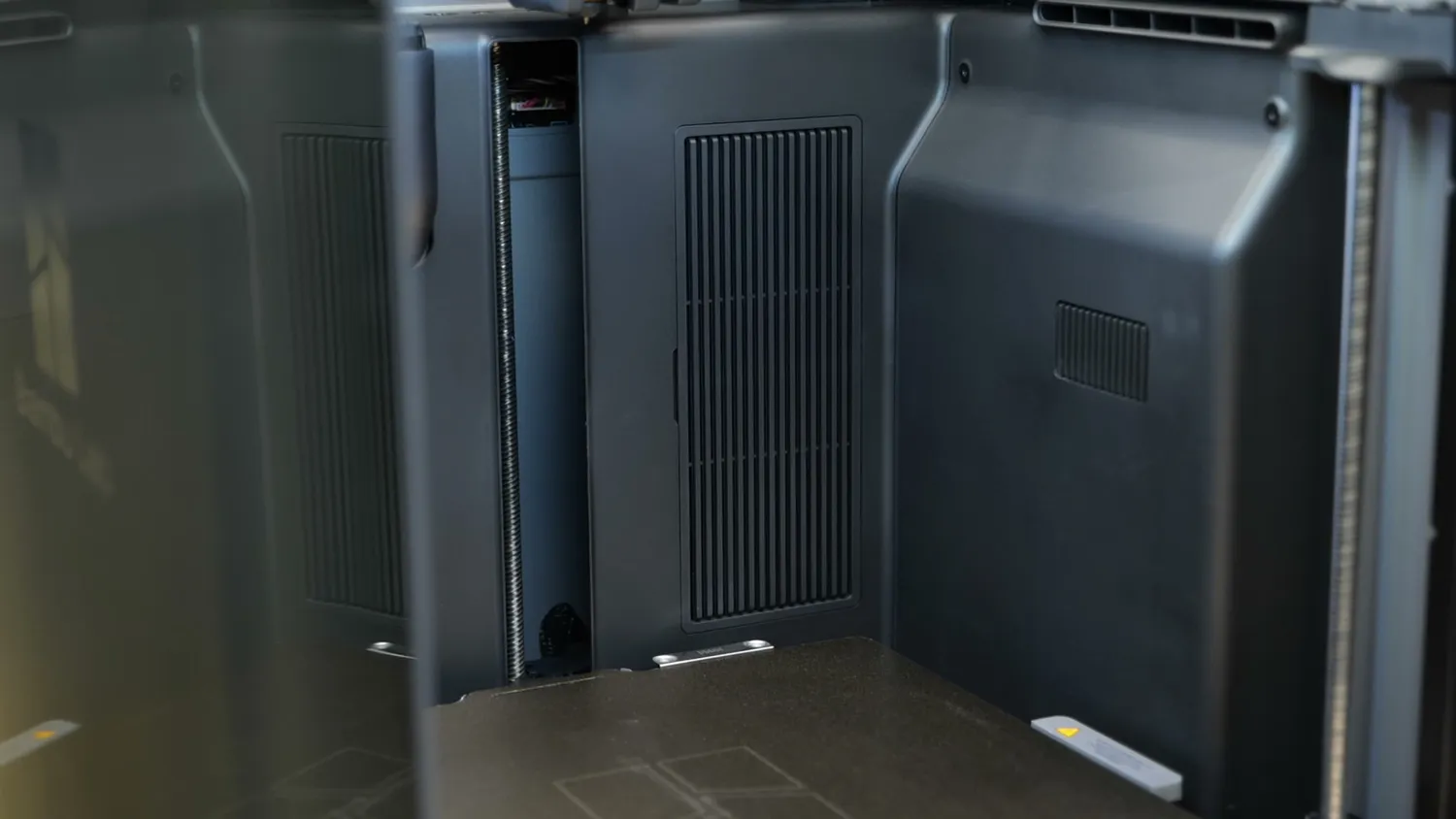
The vents and ducting at the back of the chamber
The other minor issue is the heated bed. Judging by the heating pattern, it again uses rod-style heaters instead of a PCB or silicone mat, causing temperature unevenness across the plate. It’s fine for small prints but could cause adhesion issues on large parts. Though, out of fairness, I have to say that I didn’t have a single bed adhesion problem during my tests.
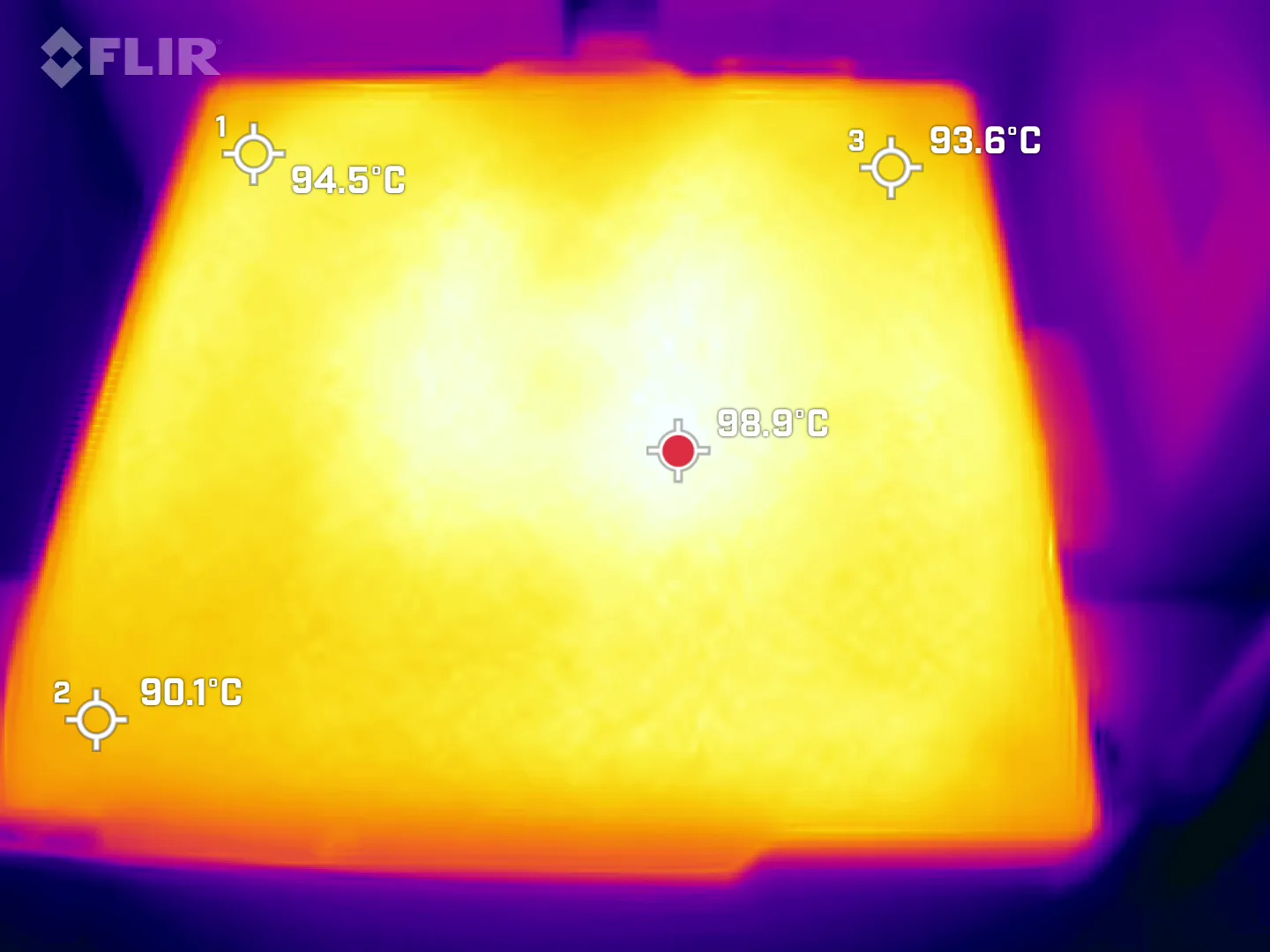
98.9 °C in the middle, 90.1 °C in the corner
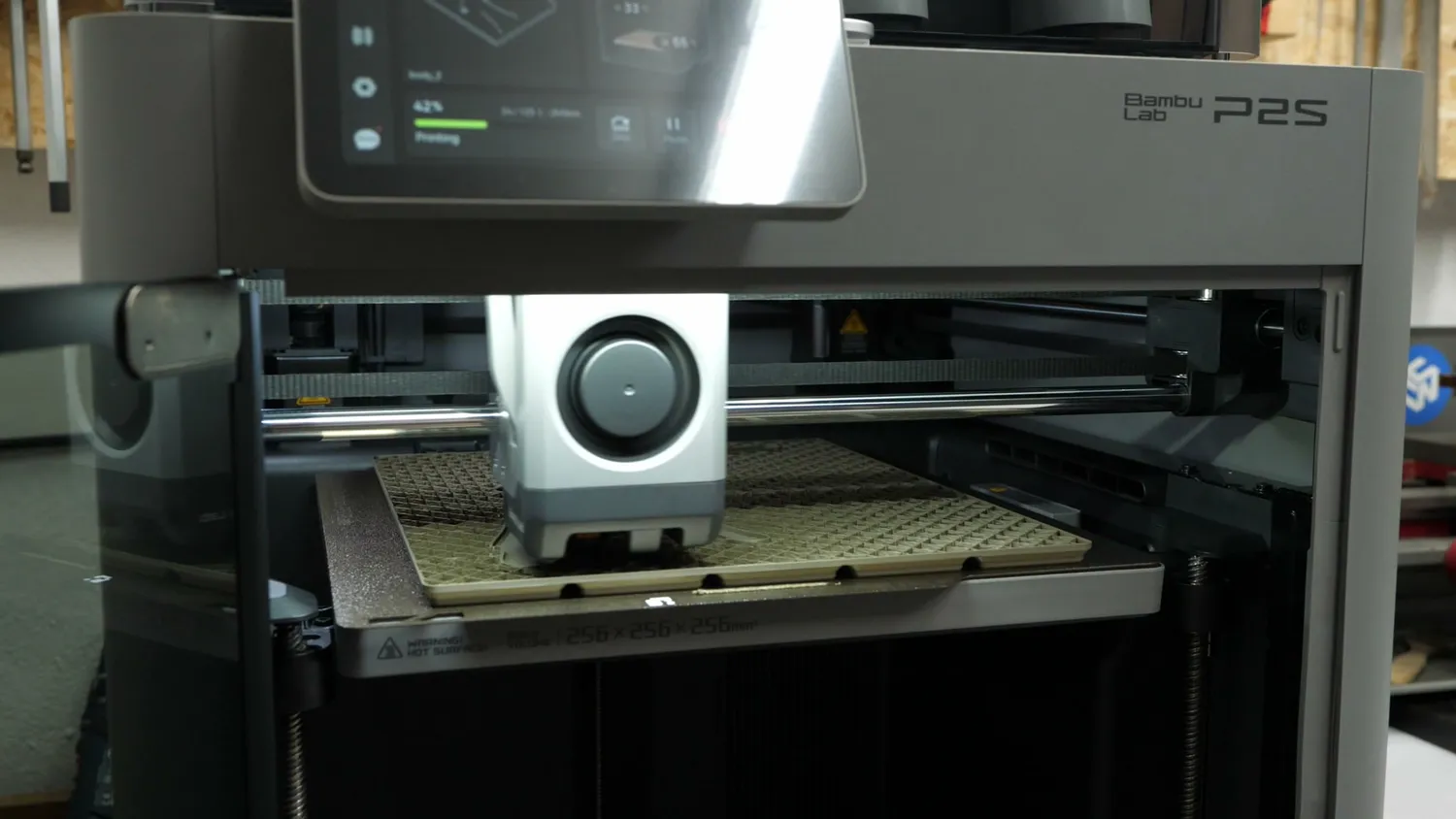
A large part covering almost the whole plate
But enough complaining. Let’s talk about what I really like. This refresh brings a few new features but focuses on making the machine even easier to use. You notice that they used their machines, sat down and tried to fix any inconvenience there was: this starts with the quick-swap nozzles, the print sheet alignment mechanism, a smooth transition to the edge of the bottom panel so you can easily clean out all the purge lines everyone just tosses there, all the way to the side mounted spool holder and a filament buffer that directly has two inputs for an AMS and the side spool holder. And all the tubes and plugs are easily swappable. Overall, you can tell Bambu focused on polish and convenience, not reinvention, and that’s great for this machine.
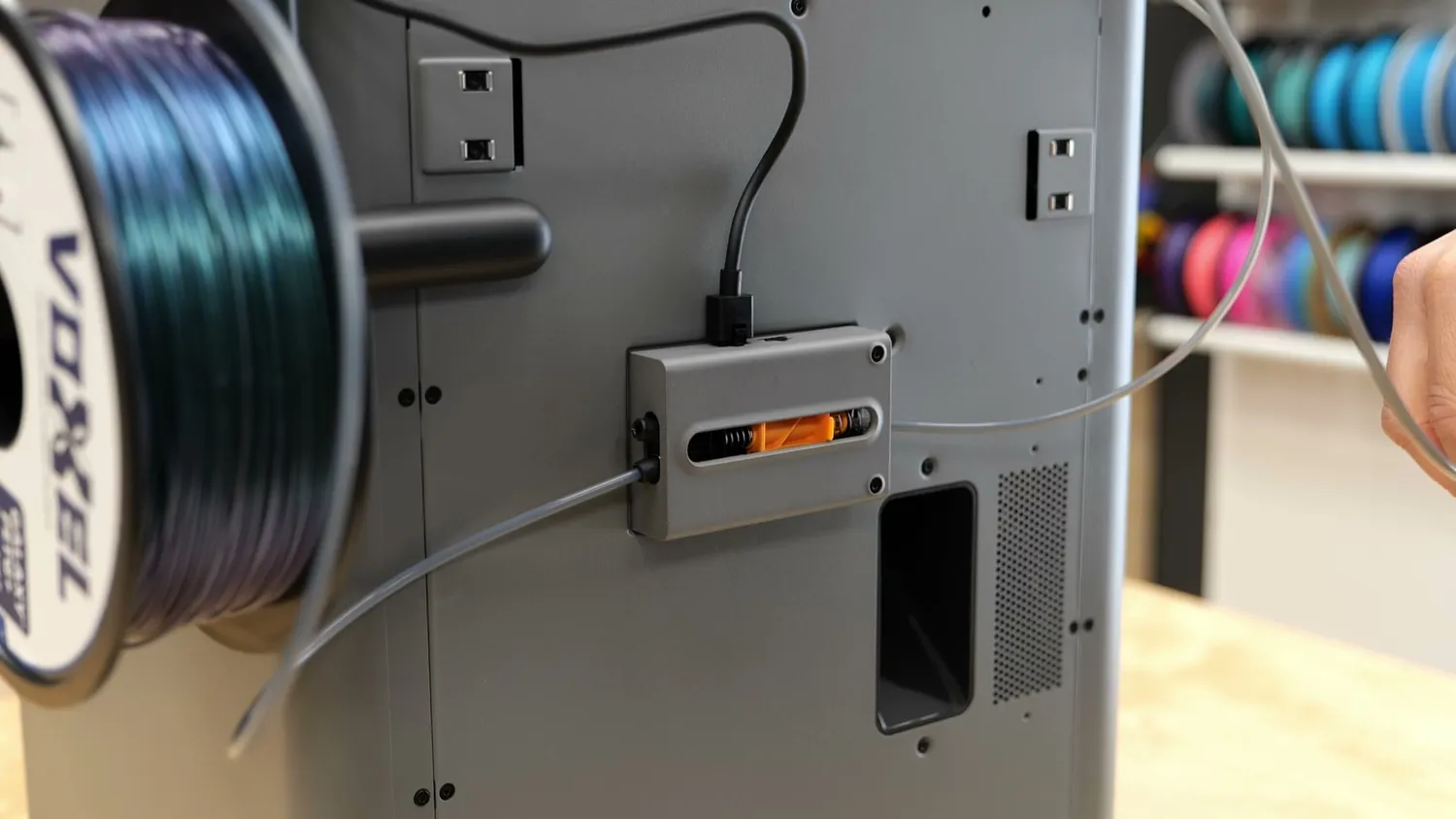
The filament buffer now has two inputs
Why the X1 Carbon is now obsolete
So now you’ve read about all the features. Things like the touchscreen, hardened steel nozzles, and gears used to differentiate the X1 from the P1, but now, with the P2S, the X1 becomes completely obsolete. There’s basically nothing (besides the 120 °C bed in the US version) that the X1 still does better. If you were considering an X1, don’t. Get the P2S instead; it’s more up-to-date and a better value. But this also brings up the question if there will be an X1 refresh and if so, what differentiating features will it have? Nozzle changer, heated chamber or something completely new?
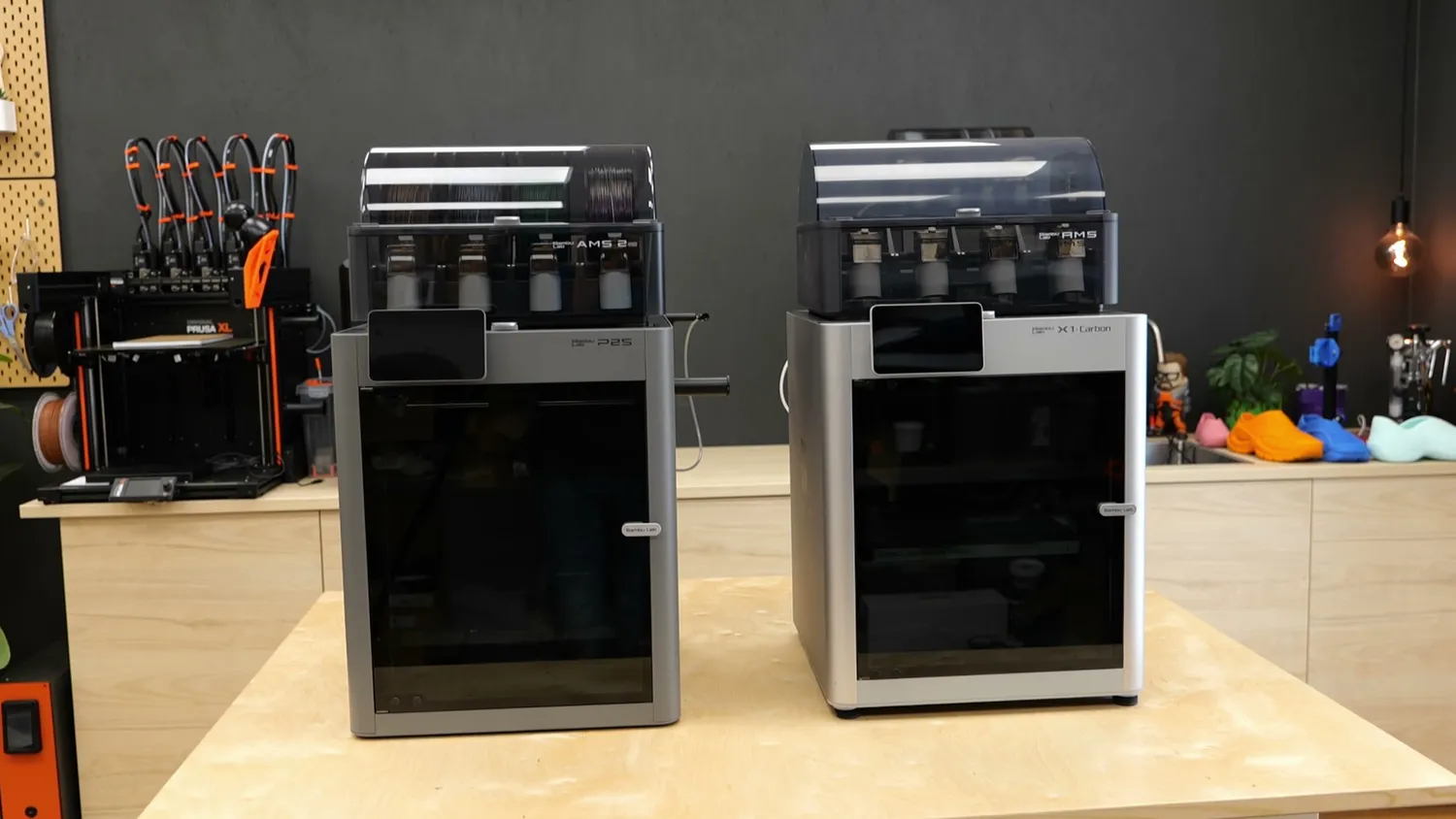
(left) the P2S, (right) the X1 Carbon
The polarizing Bambu Lab ecosystem
Let’s finally talk about the polarizing ecosystem, the reason some people love Bambu Lab and others avoid it like the plague. Bambu Lab is becoming the Apple of 3D printing. They offer a tightly integrated ecosystem where everything just works, and that’s brought countless new people into the hobby. Even my wife is now printing her own models after I installed Bambu Handy on her phone!

Browsing models from the phone
But if you want to step outside the ecosystem, things get tricky. They’ve disabled direct communication with third-party slicers, so with OrcaSlicer you either have to copy the G-code to a USB drive or use their Bambu Connection App, which is a pain. I noticed that myself while testing. For 99% of users, this isn’t a problem, since Bambu Studio works great and lacks few features, but I understand why some find it restrictive. If you want full control (your own slicer, custom firmware, and no cloud dependency), the P2S or any Bambu printer isn’t for you. You’re better off with the competition or DIY builds, often at the cost of convenience.
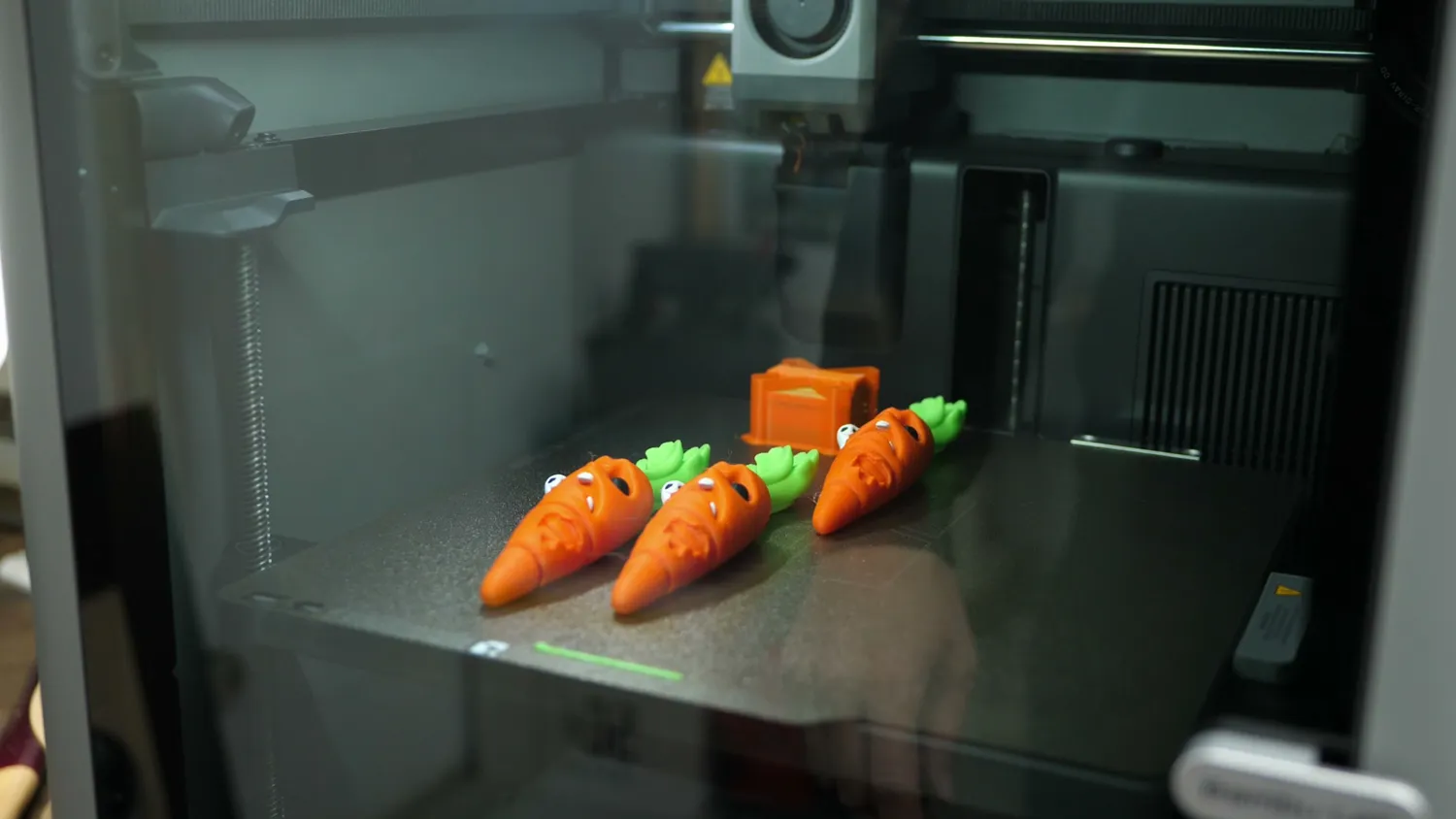
Fire and forget: three flexi carrots straight off the plate
Who should buy the P2S
But if you’re looking for a medium-sized, enclosed, fire-and-forget machine that prints most materials with minimal hassle, the P2S might be a worthy successor to the “bang-for-your-buck king.” If you, by the way, consider upgrading, the main benefits you’ll get are convenience and the ability to print more materials due to the hotter bed and hardened steel hotend and extruder. If you’re new to 3D printing, it’s definitely a solid and capable option, and especially the convenience might be the reason for buying it. The market is more competitive now with QIDI, Elegoo*, and others offering similar value, often at a lower price. Even though Bambu Lab often leads in innovation, they don’t always offer the most features per dollar. You’ll find hotter nozzles, heated chambers, or even toolchangers elsewhere but most lack the tight integration.
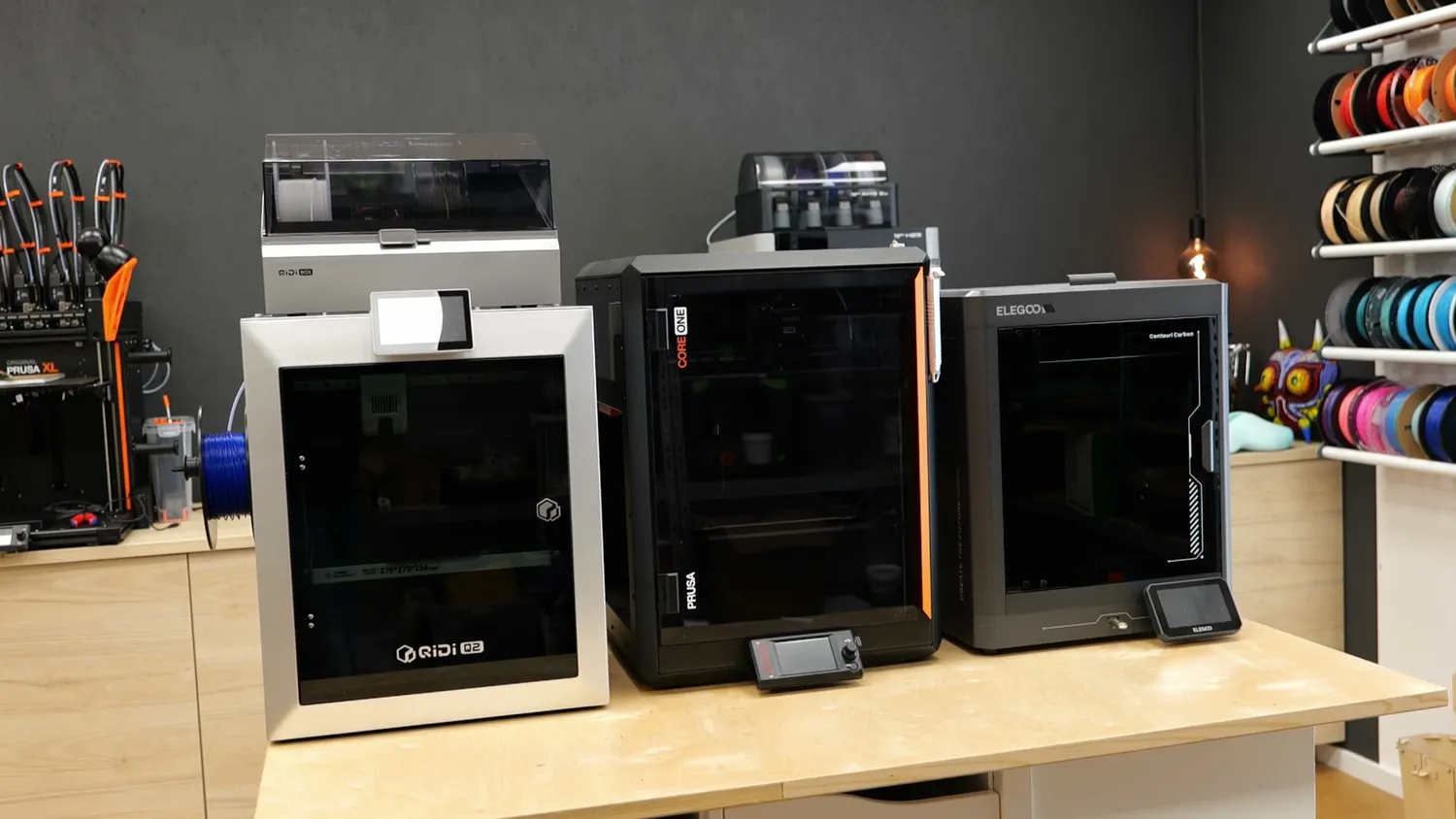
(left to right) QIDI Q2*, Prusa* CORE One and Elegoo Centauri Carbon*
Just like Apple, what you pay for here is a polished machine and the seamless experience: the fact that the 3D printer is the tool, not the project. Not that I say that a 3D printer project is something bad but I think you know what I mean!
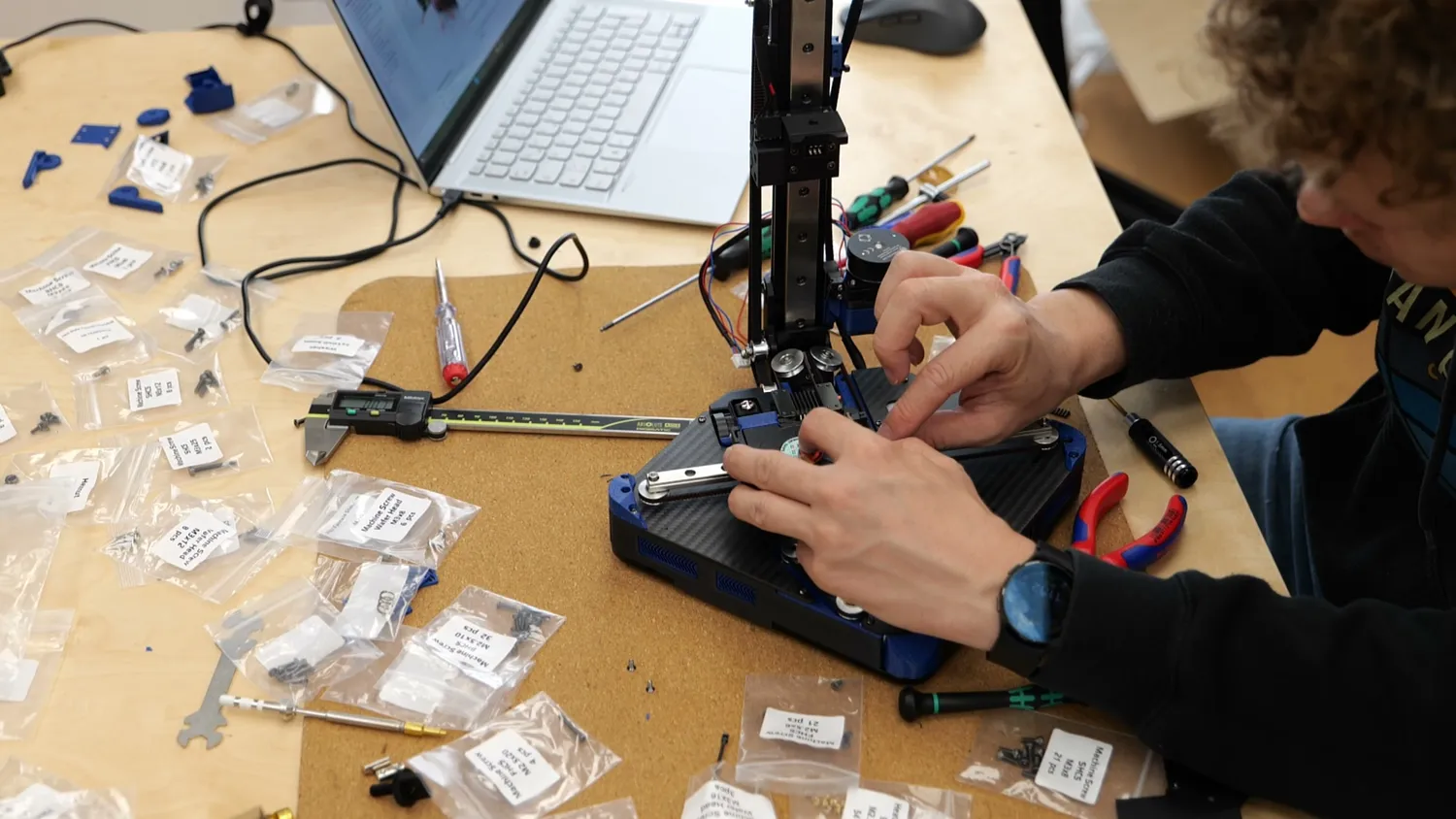
When the printer is the project instead of the tool
🐼 Get the Bambu Lab P2S (519 € standalone / 749 € Combo): https://geni.us/BBL-P2S*
* Links marked with an asterisk are affiliate links — if you buy through them, I earn a small commission at no extra cost to you. As an Amazon Associate I earn from qualifying purchases. Thanks for supporting my work!