
CNC Kitchen Volcano Adapter: Manual
How to install and remove our Original Volcano Adapter, and why you must never tighten it above 240 °C: the brass loses strength and the adapter can break.
Thank you for buying our Original Volcano Adapters. Using these small but versatile parts can not only save you a ton of money but they also enable you to get more out of your Volcano Hotend!
Features
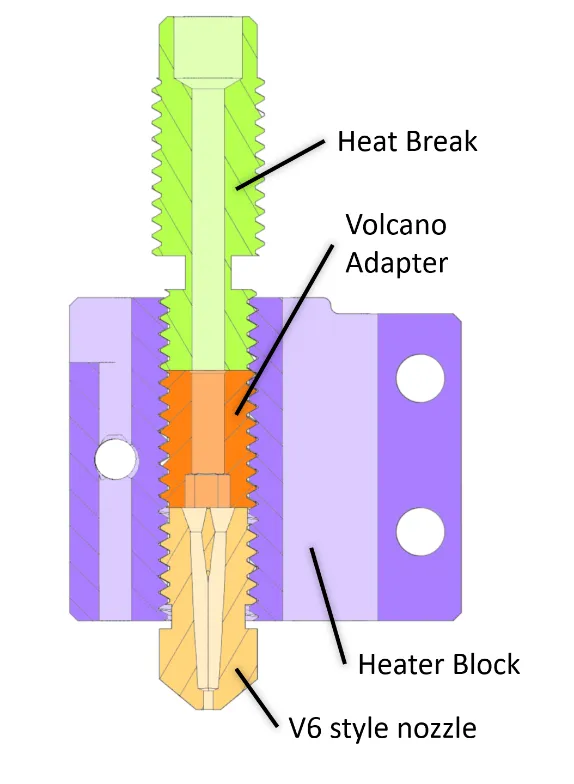
-
No need to purchase extra Volcano nozzles! Use any standard length V6 nozzle on a printer with Volcano Hotend
-
Specially designed to be used together with Bondtechs CHT nozzle* to improve the flow performance of your Volcano Hotend
-
Usable up to 300°C
-
Suitable for all materials, even abrasive ones (CF, wood, glow in the dark)
-
No change of print settings is necessary
-
Cold pulls are still possible
-
Lead & Cadmium free brass alloy
Installation
IMPORTANT NOTE: Don’t use hotend temperatures over 240°C for tightening! The brass we use loses significantly in strength above that temperature and might break!
Required tools
-
2.5 mm straight hex key (don’t use ball end hex keys)
-
Pliers to hold your heater block
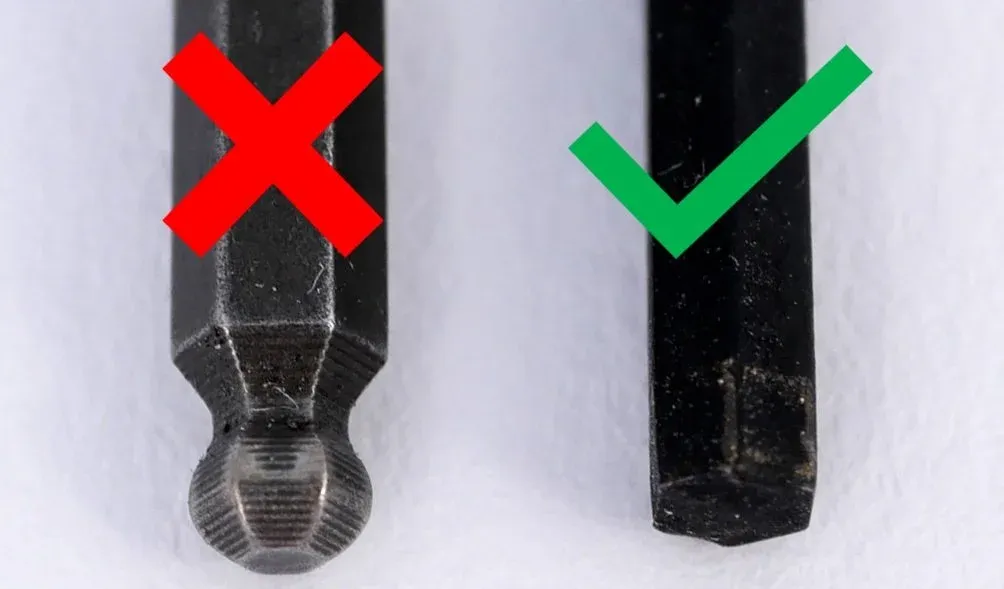
Use the right hex key!
Procedure
-
Heat your hotend to your usual printing temperature (though NOT above 240°C)
-
Remove the volcano nozzle from your heater block
-
Put the Volcano adapter on your hex key and make sure that it’s seated all the way
Optional: If available, put some high-temperature anti-seize on the threads of the adapter
-
Hold your heater block with pliers and screw in the volcano adapter. Don’t use excessive force/torque! If you feel too much resistance, clean out your threads first! If you are not careful, the hex of the adapter will strip!
-
Tighten the adapter with around 0.5 to 1.0 Nm (a bit less than a nozzle to avoid stripping the hex)
-
Install your standard V6 nozzle as usual and check if there is a small gap between the flange of the nozzle and the heater block.
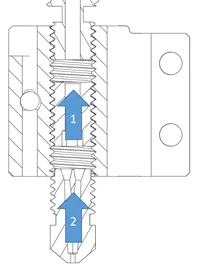
Installation sequence
Troubleshooting
-
Don’t use excessive force/torque. The 2.5 mm hex is delicate and will strip!
-
Use a hex key that thoroughly fits! If it’s too loose, you’ll risk stripping the hex!
-
If you stripped the hex, don’t panic! Heat up the block all the way and try to carefully remove the adapter. If available, look for a tighter fitting hex key. If nothing helps a screw extractor will usually do the job.
Credit
This adapter is based on an idea from Nitram who is the father of the VolcoMosq heater block!
Drawing
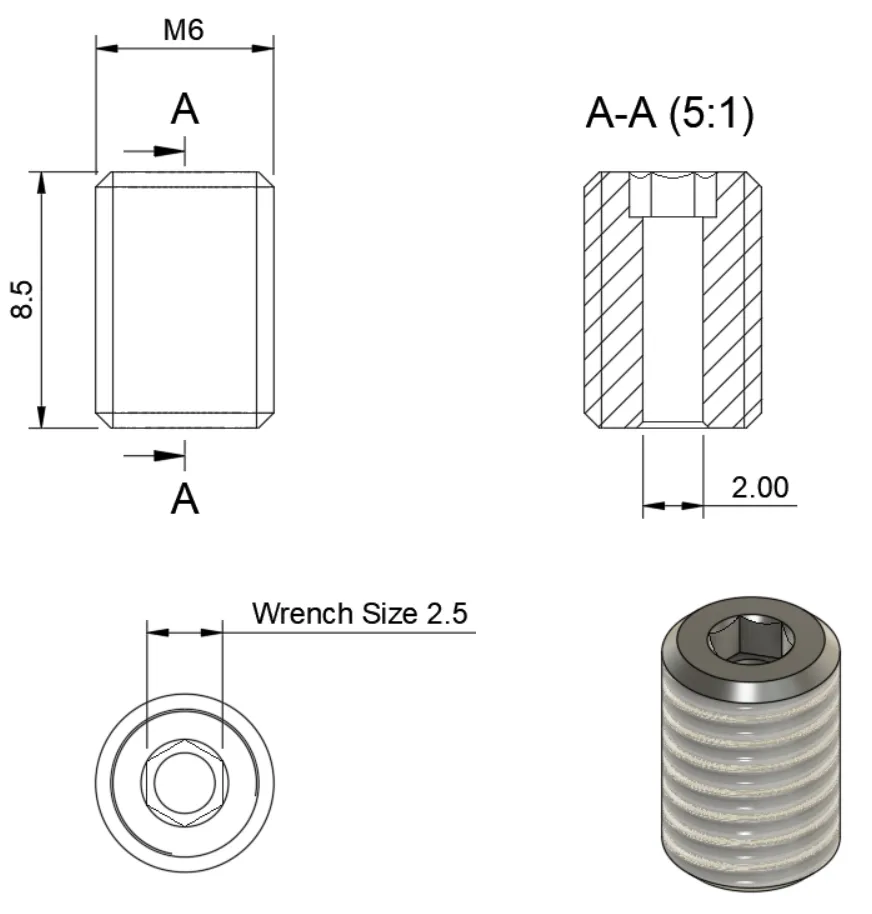
Dimensions
* Links marked with an asterisk are affiliate links — if you buy through them, I earn a small commission at no extra cost to you. As an Amazon Associate I earn from qualifying purchases. Thanks for supporting my work!